Talk to every computer on your network.
s!mpL3 LAN Messenger lets the computers on your home or office network chat, call, share screens and send files to each other. No server, no account, no internet.
Free for Windows 7–11. A single program with a one-minute first-run setup.
New in version 3.1
Released 22/10/2026. A security release: stronger encryption for messages and files, encrypted file transfers, signed updates and several security fixes. Older versions on your network can still talk to it.
Highlights
Calls, screen sharing, remote control and much more arrived in 3.0.
Voice and video calls
Call anyone on your network from their chat window. Mute, speaker choice, call timer and a connection quality indicator included.
Screen sharing and remote control
Show your screen during a call. With their permission you can take control of theirs, and Ctrl+Alt+End always hands it back.
Fast file transfers that resume
Send files and whole folders, several at once. If the network drops, sending again continues where it stopped.
Messages for people who just left
Keep writing when someone goes offline. Your messages are delivered as soon as they are back.
Typing indicator and chat history
See when the other person is typing, and reopen a chat with your recent messages already there.
Six languages
English, Greek, French, German, Italian and Spanish, plus emoji and text in any language.
What it looks like
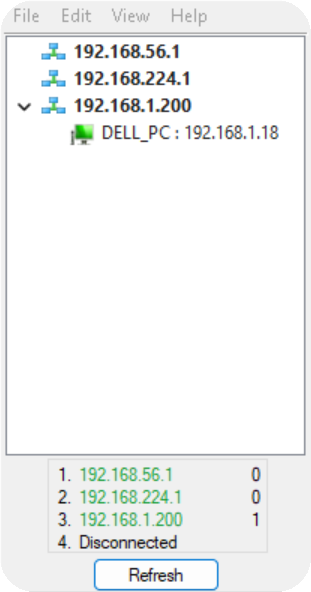
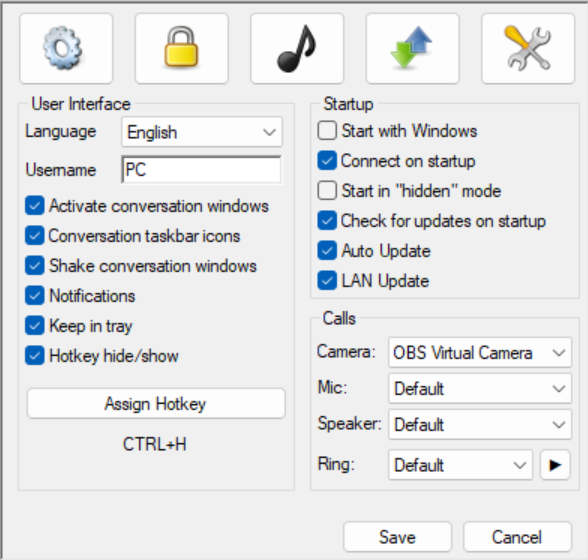
Updating
Already using s!mpL3 LAN Messenger? It checks for updates when it starts and updates itself. Once one computer on your network has the new version, the others can update from it over the LAN.